Interface·terminal·MIT
claude-mod-images
Draws the images Claude reads, MCP tools return and you paste, right in the transcript.
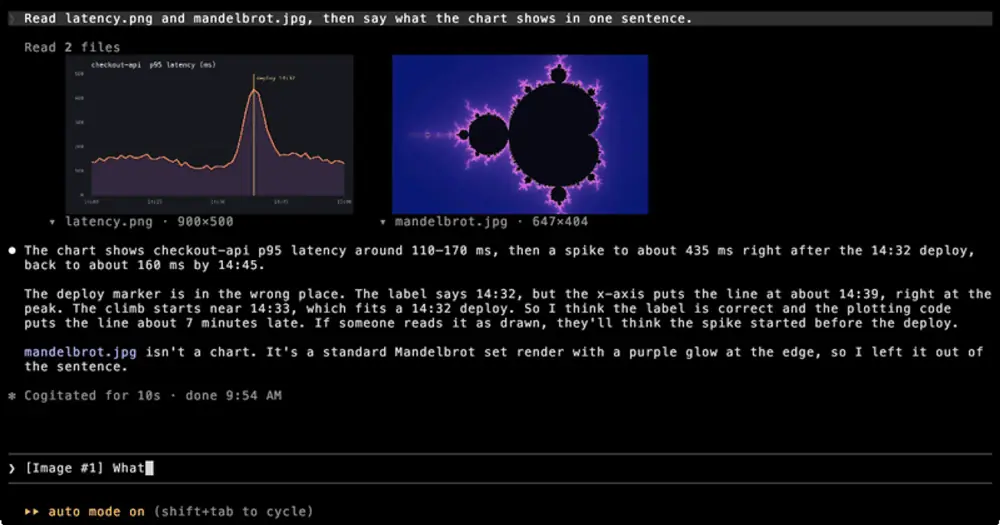
claude-mod-images draws real pictures inside the Claude Code transcript. When Claude reads a PNG, JPEG or GIF, when an MCP tool returns an image, or when you paste one into a prompt, the picture appears under that row. It needs a terminal that speaks the kitty graphics protocol, such as kitty or Ghostty; other terminals show the file name and size instead. Drawing costs no tokens.
What it does
- Reads. A
Readof a PNG, JPEG or GIF draws the picture under the tool row. A collapsed group such asRead 3 fileslines its pictures up side by side under the group’s line. - MCP tools. Image blocks in an MCP tool’s result, such as a browser screenshot or a chart, draw under its row.
- Pastes. Images you paste or drag into a prompt draw under that prompt.
- Click to hide. Each picture has a caption with its name and pixel size, like
▾ photo.png · 800×800. A click on the picture hides it and leaves the caption; a click on the caption brings it back. The mouse wheel still scrolls over a picture. /images offstops every picture for the session,/images onbrings them back and a bare/imagesflips between the two. Use it where clicks do not reach, or before you share your screen.- Picture height. The Picture height row in
/config(maxRows, 2 to 256, default 20) caps the rows a picture takes, caption included. A short terminal gives a picture half its height at most.
The same option in your settings:
{ "pluginConfigs": { "images@claude-mod-images": { "options": { "maxRows": 12 } } } }claude-image-view, by another author, also draws images over the kitty graphics protocol.
Install
Needs Claude Code 2.1.287 or later and a terminal that speaks the kitty graphics protocol, such as kitty or Ghostty. Clicking a picture also needs Claude Code’s fullscreen layout, because that is where the terminal reports clicks; /images works in either layout.
claude plugin marketplace add adamNewell/claude-mod-images
claude plugin install images@claude-mod-images
The plugin installs as images, from the author’s claude-mod-images marketplace. The author tested it in kitty 0.48.2. To try a clone for one session, claude --plugin-dir /path/to/claude-mod-images loads it. Then ask Claude to read an image file.
How it works
The module hooks ui.render for three terminal components: a tool row, a collapsed group of tool calls and a prompt you typed. For a finished Read or MCP call, it takes the image the tool returned, decodes it and draws it under the row with Claude Code’s own Image element, which speaks the kitty protocol. It draws what the model saw, not the file on disk: Read re-encodes large images, so a big PNG can arrive, and draw, as a JPEG.
A prompt row carries only its text, such as [Image #1] what is this?. To find the pasted images, the mod reads the conversation’s messages, picks the latest user message with exactly that text and draws its image blocks.
Decoding happens inside the module, with jpeg-js, omggif and fast-png bundled in the plugin’s folder, because a hooks module can only import the plugin’s own files. One drawing holds at most 2 MiB of image data, split among its pictures, and a picture over its share is decoded and shrunk. The 16 most recently drawn pictures stay decoded in memory, so a redraw does not decode again.
Each picture has an invisible click region laid over it that posts the picture’s id, and a ui.message hook flips its hidden flag. Those flags and the /images switch live in Claude Code’s plugin state.
The hook reads tool results, your prompt text and the conversation, only to find images. It makes no network calls, writes no files of its own and asks the model nothing.
Limitations
- The hooks are registered for the terminal surface only, so nothing draws in the desktop app.
- It draws PNG, JPEG and the first frame of a GIF. A WebP shows a dim line saying there is no decoder, and so does a 1, 2 or 4-bit grayscale PNG too large to pass through as it is.
- Pasted images are matched by the prompt’s text. Two prompts with identical text both show the later one’s images, and after a compaction drops a paste, its prompt draws no picture.
- MCP images given by URL are not fetched. Only base64 image blocks draw.
Similar Claude Mods
time
A timestamp above each of your messages, showing when you sent it. Zero tokens.
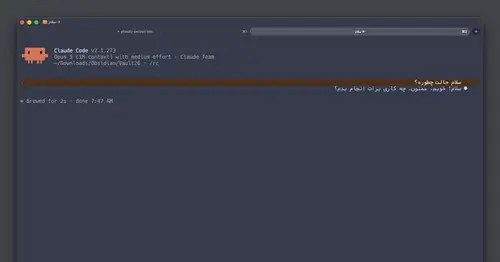
rtl-text
Persian, Arabic and Hebrew drawn joined, right-to-left and flush right in the transcript.
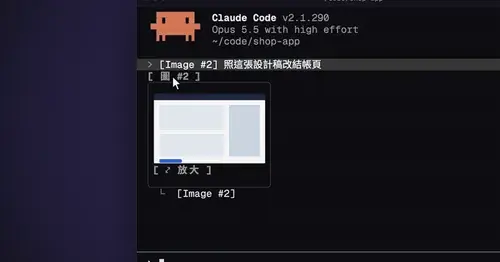
cc-image-view
Thumbnails of pasted images above the prompt and under sent prompts, with a zoom pane.
paste-view
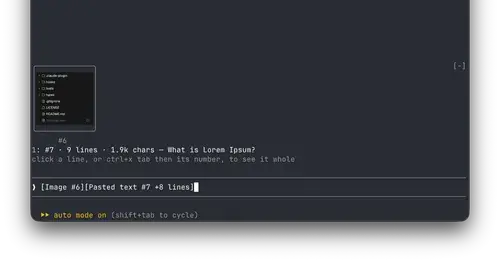
Previews of pasted text and thumbnails of pasted images, drawn above the prompt.
Popular Claude Mods
The whole directory →RemCTL
Today's Apple Reminders above the prompt, plus tools for Claude to manage them.

effortless
Picks the effort for every prompt and shows how long the prompt cache stays warm.
Claude Fables
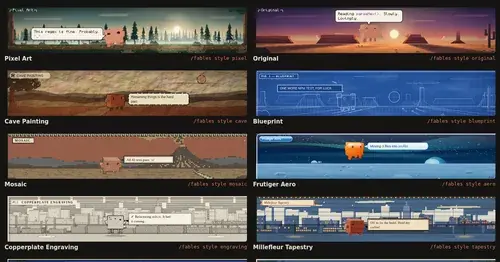
Short animated cartoons of Claude's work above the prompt, scripted by Sonnet or Haiku.
claude-queue
Prompts typed with /q wait in a stack above the prompt and go out when the turn ends.