Interface·terminal·MIT
image-view
Thumbnails of the images you paste, drawn above the prompt instead of [Image #1] tags.
![image-view thumbnail of a pasted screenshot, labelled #1, above the Claude Code prompt holding an [Image #1] tag](/images/mods/claude-image-view/cover.webp)
image-view shows thumbnails of the images you paste into Claude Code, right above the prompt. Without it, a paste leaves only an [Image #1] tag in the prompt. With it, each pasted image gets a tile labelled with the same number, so you can see which picture is which before you send. The mod runs locally and costs no tokens.
What it does
- Draws the tile as soon as you paste. You don’t have to type another key first.
- Keeps each image’s shape: a wide screenshot gets a wide tile, a phone shot a narrow one.
- Shrinks the row to fit the space above the prompt and the width of the terminal, so it never scrolls or gets cut off.
- Clears the row when you send the prompt or delete the tags.
Install
Needs Claude Code 2.1.287 or later, macOS or Linux, and a terminal with the kitty graphics protocol, such as Ghostty or kitty.
claude plugin marketplace add jarrodwatts/claude-image-view
claude plugin install image-view@claude-image-view
The repository is called claude-image-view; the plugin it installs is image-view, version 0.1.0. Run /reload-plugins in an open session, or start a new one, and paste an image. If no tile appears, check that /plugin lists image-view among the active mods. Jarrod Watts also wrote intermission, a Doom deathmatch for while Claude works. For the images Claude’s tools return, rather than the ones you paste, claude-code-figures draws them in the transcript.
How it works
The mod hooks two events. session.start starts a timer that reads the prompt box every 200 ms and looks for [Image #n] tags; it polls because pasting an image raises no edit event. ui.render draws the row of tiles in the band above the prompt.
Claude Code caches every pasted image as a PNG in a folder for the session, under its temp directory. The mod takes that directory from CLAUDE_CODE_TMPDIR. If the variable is unset, it runs id -u once to build the default path, /tmp/claude-<your user id>. It then lists that directory to find the folder holding the current session’s images, and reads each pasted PNG only for the width and height in its header. The picture itself is drawn with Claude Code’s Image element: the terminal loads the file, so the image data never passes through the mod.
It reads the text of your prompt and nothing else you type. It makes no network calls, writes no files and adds nothing to Claude’s context.
Limitations
- Terminal only. The code draws nothing on other surfaces, and the README notes that Claude Desktop already previews pasted images.
- In a terminal without the kitty graphics protocol, each tile shows the
[Image #n]text instead of the picture. - The author supports macOS and Linux only.
- The mod relies on where Claude Code keeps pasted images. If a tile says “no preview”, it could not find the file, and the author asks for an issue with your Claude Code version.
- A PNG over 4 MiB is too large for the mod to read, so its tile still shows the picture but in a default shape instead of the image’s own.
More mods
The whole directory →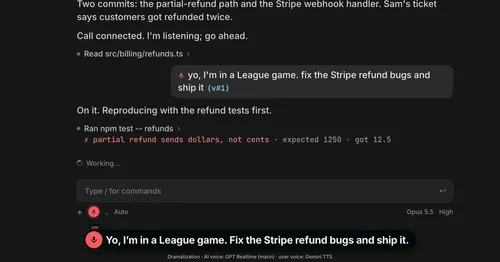
Better Call GPT
A Call button above the prompt: talk to Claude Code by voice while it works.

cc-changelog
The unofficial Claude Code changelog in a pane, plus fifteen tools the model can call.
cc-crayon
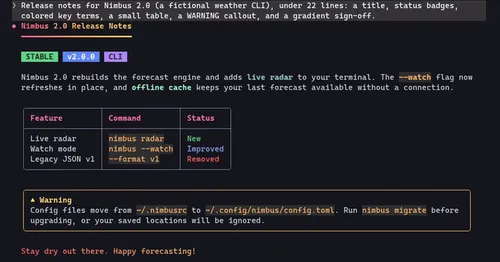
Every reply redrawn in color: themed Markdown plus inline tags the model can write.
cc-image-view
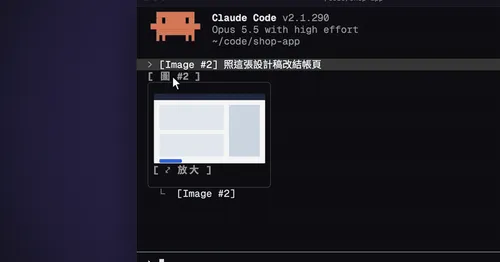
Thumbnails of pasted images above the prompt and under sent prompts, with a zoom pane.