Dashboards·terminal·MIT
cctop
Context, cost, rate limits and tool stats of the session, live in a side pane.
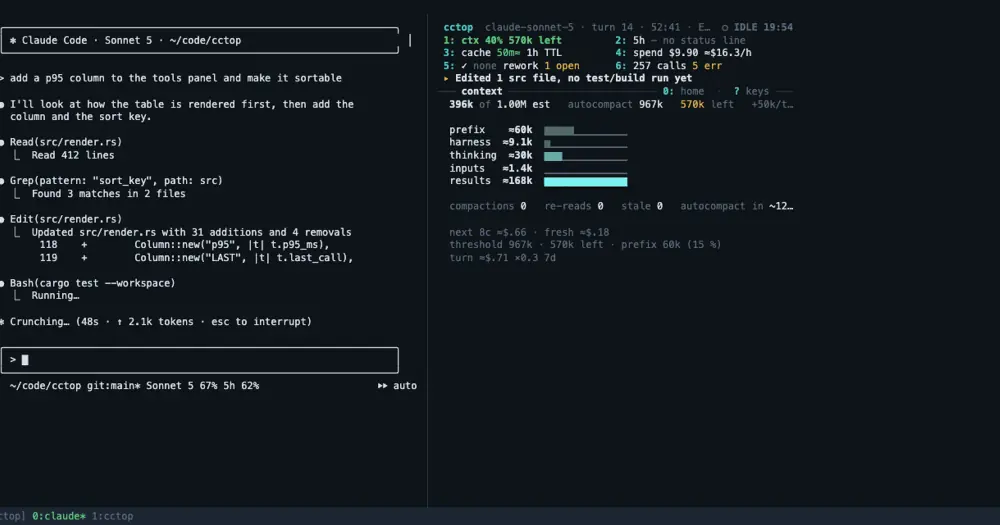
cctop shows what Claude Code does not: how full the context is and when the next compaction hits, tokens and cost with the cache hit ratio, rate limits with a forecast of when they run out, what the current turn is waiting on, per-tool latency, subagents and MCP servers. /cctop opens it in a pane docked inside Claude Code, beside the transcript.
What it does
- Seven views: Coach, Overview, Tools, Agents, Files, Events and Advisor. Click a name in the pane’s top bar to switch, or run
/cctop-pane tools. - The Overview is Console, the layout the standalone TUI uses since 0.6.0: a header, six cells (context, limits, cache, spend, work, tools), the coach’s act line, a rule line and one body at a time. The cells are clickable; the digit each draws is its hotkey.
- The Coach view gives one nudge at a time, such as filling the context or snoozing an advisor, with buttons that write a prompt into the prompt box without submitting it.
- The Agents view lists each subagent with its model, time, tokens, cost, what came back and what was wasted, plus the teammates of a team the session leads and workflow runs folded into one row each.
- Context, cost and rate limits come from the engine itself, so the pane works with nothing else installed. The
cctopbinary fills in the rest: tool timings, files, agents, the Advisor. - When the pane cannot dock,
/cctopopens the same dashboard as a terminal split in tmux, zellij, WezTerm, Kitty or iTerm2. - A second skill,
cctop-insights, lets the session answer questions such as “what is filling my context?” from the dashboard’s numbers.
Install
Needs Claude Code 2.1.287 or later, plus the cctop binary (0.9.1 at the time of writing) for the full set of numbers; cargo install cctop works where Homebrew does not.
brew install tomstagl/tap/cctop
claude plugin marketplace add tomstagl/cctop
claude plugin install cctop@cctop
Restart Claude Code or run /reload-plugins, then /cctop. The pane docks when the terminal is 110 columns or wider; narrower, it draws above the prompt instead. When the pane does not appear, cctop pane status prints one line per prerequisite with the fix.
How it works
The hooks module registers /cctop-pane, draws the pane, and re-reads the session id on every turn and every poll so it follows a /clear. Numbers come from cctop query, run through the engine’s process call, and from the engine’s own session usage. It writes a small marker file so the standalone TUI and the pane agree on which session is open. Nothing leaves the machine.
At session start the module checks the host surfaces it cannot do without and writes one line to the debug log, cctop: plugin 0.10.0 (hooks contract 2.1.284) loaded; self-check ok, or what failed and the update command. Every clock reading falls back to the environment’s own Date.now(), so a changed host clock no longer fails every hook.
The built-in /diff panel and a plugin pane share one dock, and the diff panel wins. While it shows, cctop pins a status line under the prompt saying so, and comes back when /diff hides it.
Limitations
- Docking needs the fullscreen renderer and a terminal 110 columns wide. Otherwise the dashboard draws above the prompt, which costs the transcript rows.
- Each plugin release is built against one Claude Code contract: 0.10.0 against 2.1.284, and the author’s CI has seen it run on 2.1.269 and later.
cctop pane statuspairs the installed plugin withclaude --versionand warns when Claude Code is newer than the plugin was tested with. When a release breaks the pane, the fix is a plugin release:claude plugin marketplace update cctop && claude plugin update cctop@cctop, then restart. Plugin 0.2.0 to 0.4.0 fail on 2.1.271 and later, where$.clock.now()became a promise. - Draws only in interactive terminal sessions.
Similar Claude Mods

skyward
Live pane of your Skyward cloud computes: nodes, GPU, cost, tasks and logs.
Observability
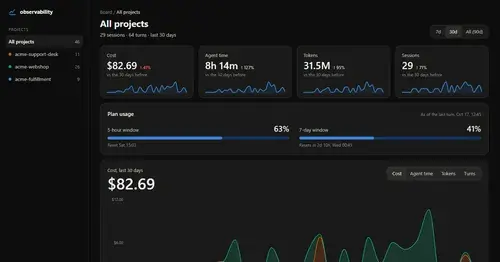
Cost, tokens, tools and plan usage of every turn, on a local HTML board.
hivemind
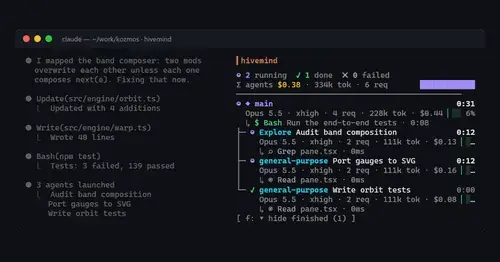
Your subagents as a live tree: status, task, tokens, spend and the tool each one runs.
Project Sentinel
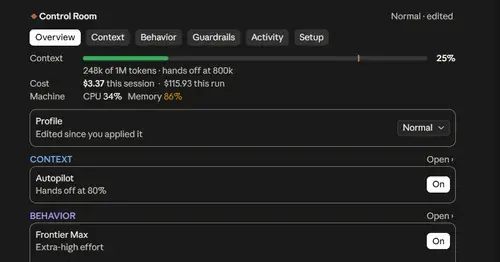
Status bar, Control Room pane and automatic context handoffs for long Claude Code runs.
Popular Claude Mods
The whole directory →
show-your-work
Claude shows screenshots and recorded Playwright runs in the chat, with before/after QA.
kindex-modern
Task tools backed by a Kindex store in your repo, plus repo memory on every prompt.
next-steps
Up to six suggested next steps after each reply. Tick some and Haiku writes the prompt.
aside
Ask about the session so far in a read-only side pane. Nothing reaches the main thread.