While you wait·terminal · desktop·MIT
pixel-pet
A slime that acts out each tool call, with HP, MP and ST bars below the prompt.
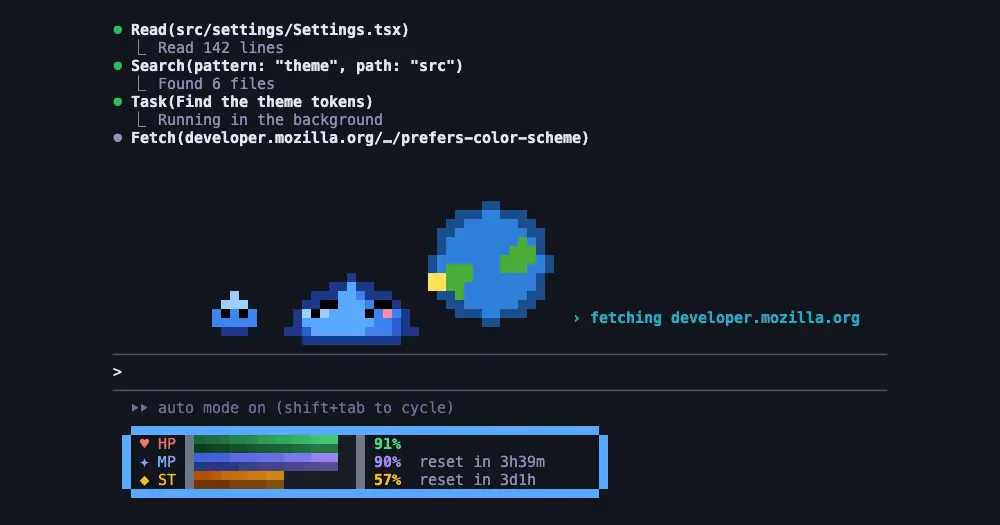
pixel-pet puts a small pixel slime above the Claude Code prompt and has it act out whatever Claude is doing: it reads a book during a Read, sweeps a magnifier during a search, types on a tiny terminal during Bash. Below the prompt, a framed HUD turns your context window and rate limits into HP, MP and ST bars. Nothing it draws is sent to Claude.
What it does
- A prop for each tool.
Readgets a book,GrepandGloba magnifier, the editing tools (Edit,MultiEdit,Write,NotebookEdit,TodoWrite) a page and a pen,WebFetchandWebSearcha spinning globe, andBashor any other tool a small terminal. A status line beside the pet names what the tool works on:reading app.ts,hunting for "useState",$ npm test,fetching docs.anthropic.com. - The shape of a turn. It jumps when a turn starts and cheers when it ends. After each tool call it runs back and forth for four seconds. If Claude keeps thinking with no tool running, it looks around with a question mark. A tool call that fails or is denied gives it crossed-out eyes and a sweat drop.
- Minis for subagents. Each running subagent adds a mini to a trail behind the pet. The mini leaves with a sparkle when its subagent finishes, or turns grey if it failed.
- Idle and asleep. Between turns it breathes, blinks and looks around, and after a minute it falls asleep.
- The HUD. HP is the context window left: yellow at 50% or less, red at 25% or less, and under 10% it suggests
/compact. MP is the 5-hour rate limit left and ST the 7-day one, each with the time until it resets. Both turn red under 15%, and both appear only on Pro and Max plans, once a response has reported the limit. - A face that follows the HUD. While idle or thinking, the pet sweats at 50% HP or less, gets the crossed-out eyes at 25% or less, and looks tired when MP or ST falls under 20%.
Six settings live in /plugin configure pixel-pet@pixel-pet: speed (slow, normal or fast), seconds idle before it sleeps (60 by default, 0 keeps it awake), and switches for the HUD, the status line, the minis and the naming of files and commands. Turn the last one off before you share your screen.
Draw your own pet
The mod ships a skill for redesigning it. Ask Claude in any session, or run /pixel-pet:pixel-pet, and describe the change: a rubber duck in place of the slime, another color, other props or minis, your own status lines, a recolored HUD with renamed or hidden bars, or a scene behind the pet with ground, decor and obstacles it leaps while it runs.

Nothing changes on screen until you approve. Claude first writes a preview page and opens it in your browser, with every motion, face, status line and HUD state on a dark or light background, and redraws it as you ask. Once you approve, the new pet replaces the old one at once and stays for later sessions. Ask for the slime back to undo it.
A pet is one JSON theme, documented in the repository’s FORMAT.md. Claude can save yours to a file to share it, or load someone else’s. The repository includes a duck and an alien as examples.
Install
Needs Claude Code 2.1.287 or later and a terminal with 24-bit color.
claude plugin marketplace add Namenomeaning/pixel-pet
claude plugin install pixel-pet@pixel-pet
Start a new session, or run /reload-plugins in an open one, and the slime appears above the prompt. claude plugin uninstall pixel-pet@pixel-pet removes it.
How it works
The hooks module watches session.start, tool.call and ui.render. It draws the pet with colored text cells, so it needs no image protocol such as kitty graphics, and moves it on a clock of ten ticks a second.
The tool.call hook sees every tool’s input but keeps only a short target for the status line: a file name, a search pattern or query, a URL’s host, or the first line of a Bash command cut to 24 characters. Turning off the naming setting drops even that. The mod also reads your session usage every two seconds for the HUD and the list of subagents twice a second for the minis.
At session start it registers three tools that Claude uses with the skill: get_theme returns the theme on screen, preview_theme writes the preview page to the path Claude gives it, and set_theme applies a theme. The theme is the only thing it saves, in its own plugin store on your machine. The author states that it makes no network requests, starts no processes and reads no environment variables. Drawing costs no tokens; the three theme tools sit in Claude’s tool list like any other.
Limitations
- The author says the Desktop app’s Code tab shows the pet as an SVG picture. There the code draws the pet, its minis and the status line, but no scene and no HUD: the HUD is terminal only.
- Nothing draws in the VS Code extension’s chat panel, in
claude -por in cloud sessions.
Similar Claude Mods
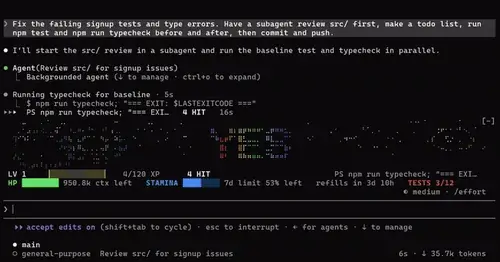
dopa-mode
Fireworks for keystrokes, tool calls, commits and green tests, plus context meters.
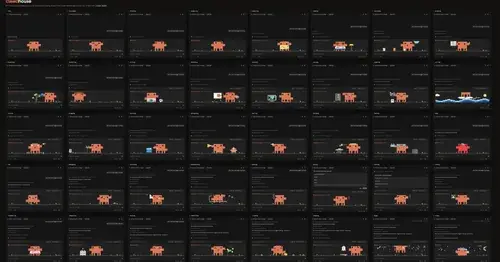
clawdhouse
A pixel Clawd above the prompt or in a pane, acting out what Claude is doing.
claude-pokemon
A pixel Pokémon above the prompt that follows Claude's tools, levels up and evolves.
CodeCraft
Hearts for context, food for usage limits, armor for git, XP for verified work.
Popular Claude Mods
The whole directory →RemCTL
Today's Apple Reminders above the prompt, plus tools for Claude to manage them.
claude-toons
Cartoons of Clawd under the spinner that change with what Claude is doing.
terminal-browser
A Chromium browser in a pane beside the transcript, for previews and agent browsing.
cache-keeper
Prompt-cache timer, keep-warm pings, cold-send guard, a board of chats and a handoff.