Context & memory·terminal · desktop·Apache-2.0
Dividend
Tips on your prompt cache, context and plan limits, plus a status line and a pane.
Dividend tells you what your Claude Code session carries and costs while you work. It watches the prompt cache, the context and your plan’s limits, raises a tip above the prompt when one of them is worth acting on, and keeps the figures in a status line and a pane. Every number comes from what Claude Code reports, and the author states that nothing leaves your machine.
It is the first plugin in Mint Security’s open-kitchen marketplace, at version 0.1.0. Where cache-keeper is built around the prompt cache, Dividend covers it alongside context and limits, and mostly explains rather than acts.
What it does
- Tips above the prompt. The newest unread tip shows with Got it, Don’t show these and Later. Later hides it for this session only; Don’t show these turns that kind of tip off in every session. Tips about compacting add Compact now. Tips Claude can fix itself (heavy or repeated instruction files, the cache lifetime setting) add Ask Claude, which drafts the request in the prompt box for you to read and send.
- A status line such as
1 new · 5h 41%: unread tips and the 5-hour limit, plus the weekly limit once it passes 70%. Without plan limits it shows the session’s cost at list price, marked API-eq. /dividendopens a pane: the clock time the prompt cache stays warm until, with a bar of what is left; your instruction files grouped by where they load from, with token counts, each file a button that opens it; every tip so far; and four short lessons./dividend sessionprints the same figures as a card in the transcript, fixed at that moment./dividend learn cache(orcontext,limits,compact) prints a lesson./dividend compactcompacts with a brief to carry on from: your latest request, what is done, the next step, the files edited, decisions and open questions. Text after the command is added to the brief./dividend resetdeletes everything Dividend saved and turns every kind of tip back on.
The tips
Each tip names the figure behind it and what to do. Thresholds from the code:
- Prompt cache. A message that wrote 40,000 tokens or more back into the cache, with the likely reason: the break outlasted the cache, the model or effort level changed, or something near the start of the conversation did, such as a new MCP server, tool or skill. In a conversation of 80,000 tokens or more on a 1-hour cache, a tip ten minutes before expiry offers to compact while that is still cheap. Once the cache has lapsed, a tip warns before your next message. On API billing, after three breaks of 5 minutes to an hour that let it go cold, it suggests
"promptCacheTtl": "1h"and states the higher write price. - Context. A conversation past 60% of the window or 120,000 tokens, and again at 85%. A turn that added 50,000 tokens, traced to the tool output behind it, with advice for Bash, Read or WebFetch. A
git commitor a passing test run in a conversation over 60,000 tokens, as a good moment to compact. The same part of a file read three times at 6,000 characters or more. Instruction files over 10,000 tokens, with advice for each place they load from. A line repeated across instruction files. Unused MCP servers that add 2,000 tokens or more each show in the pane only. - Plan limits. The 5-hour or weekly limit past 80%, or on pace to run out before it resets once past 50%. At 95%, a word to commit and write a status note before you hit the wall. Three turns in a row on Opus that only read, searched and edited files suggest Sonnet or a lower effort. An optional spend alert each time the session passes another multiple of
budgetUsd.
The plugin options turn off all tips (tips), one area (cache, context, limits) or the Compact now and Ask Claude buttons (actions). budgetUsd is 0, off, by default.
Install
Needs Claude Code 2.1.291 or later.
claude plugin marketplace add Mint-Security/open-kitchen
claude plugin install dividend@mint-security
Start a session, or run /reload-plugins, and type /dividend. In the desktop app, the author adds Mint-Security/open-kitchen under Settings, Plugins, Add. The repo’s SECURITY.md explains how to stay on a reviewed release.
How it works
Dividend hooks the start and end of the session, every turn, every tool call, each prompt you send, usage updates and compactions, and sets timers during a break. What it reads:
- Usage figures from Claude Code: context tokens and window, rate limits, and the session’s cost as
/costcounts it. Every third turn it also asks for the breakdown of instruction files and MCP tools, which is Claude Code’s local estimate and sends nothing. It has no price table of its own. - Tool calls, after they run: the tool’s name, the size of its output, the file path, the host of a fetched URL and the program a Bash command started. It matches commands against
git commitand common test runners to spot breakpoints. - Each prompt you send, typed in the terminal, in the desktop app or from your phone, to keep your latest request in memory for the compaction brief. It never changes a prompt or saves it.
- Your instruction files (CLAUDE.md, AGENTS.md, rules, memory), once a session, to look for repeated lines, and only while that tip is on.
- Cache settings: the prompt-caching environment variables and
promptCacheTtl. With none set, it infers the cache lifetime from the limits Claude Code reports: 1 hour on a subscription within its limits, 5 minutes on API billing.
It makes no network requests and sends no telemetry. The one program it runs is your system’s file opener, and only when you press an instruction file in the pane: open -t on macOS, explorer.exe on Windows, xdg-open elsewhere. The path is the only argument, no shell runs in between, and it opens only a regular .md, .markdown or .txt file that is not a link. Anything else is shown by its path.
It calls the model only when you ask. Compact now and /dividend compact run Claude Code’s own compaction, and what /dividend session and /dividend learn print becomes part of the conversation. In the pane you also choose what happens before the cache expires, for every session on the machine: Do nothing (the default); Keep cache warm, which sends a fixed message asking Claude to reply OK, up to five times in a row until you send something; or Auto compact, once, in terminal sessions. Both act only in an idle session with an empty prompt box, and both use your plan’s allowance or API budget.
Dividend keeps its data in a JSON file of its own in Claude Code’s plugin store, under ~/.claude/plugins/store/, readable only by your user and shared by every session on the machine. It holds up to 60 tips, whose text can name files Claude read (a .env included), a Bash program, a page’s host, an MCP server or a model, and can quote up to 120 characters of a repeated instruction. It also holds which tips you read or turned off, the tips taken back because they no longer held, the last turn of up to 20 sessions under a hash of the session id (model, effort, plan and time), and your cache choice. All of it stays until /dividend reset.
Limitations
- Only one mod draws in the band above the prompt. While another plugin’s band shows, Dividend’s tip waits and the status line counts it.
- In the desktop app and other sessions where a plugin can’t compact directly, Compact now puts
/compactand the brief in the prompt box for you to send. Auto compact skips those sessions. - The instruction-file and MCP token counts are Claude Code’s estimate;
/contextgives the exact figure. - Dollar amounts are list price as
/costcounts it. On a subscription they are not your bill. - Keep cache warm and Auto compact wait until the cache lifetime is known, from a setting or from the limits reported after the first answer. A sleeping computer is never woken to keep the cache warm.
- Sessions share the store file without locking, so two saving at the same moment can lose one change.
Similar Claude Mods

handoff-compact
Compaction becomes a handoff: goal, proof, decisions, dead ends and the next step.
idle-compact
Compacts an idle session once at minute 50, before the 1-hour prompt cache expires.
antiburn
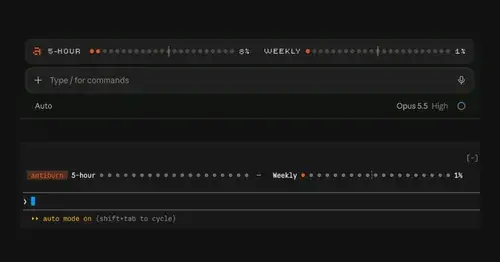
Five-hour and weekly usage meters above the prompt, with reset times and pace.
ContextSaver
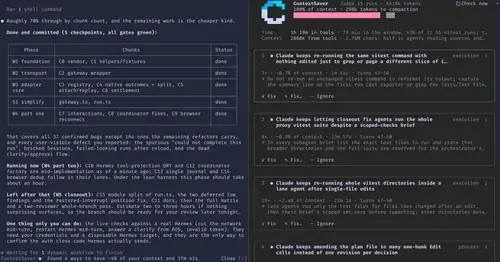
Spots repeated waste in a session, prices it in context and time, fixes it in one click.
Popular Claude Mods
The whole directory →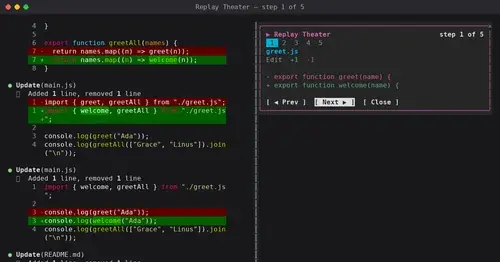
replay-theater
A /replay pane that walks through the last turn's file edits, one diff per step.
worktree-map
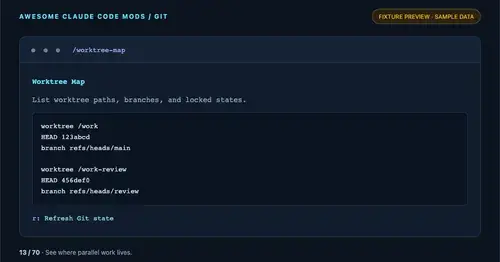
Every git worktree of the repo with its path, HEAD, branch and lock state, in a pane.
paste-preview
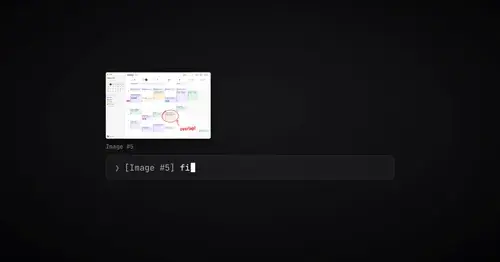
Thumbnails of pasted images, plus an editor to circle what matters before Claude sees it.
cc-image-view
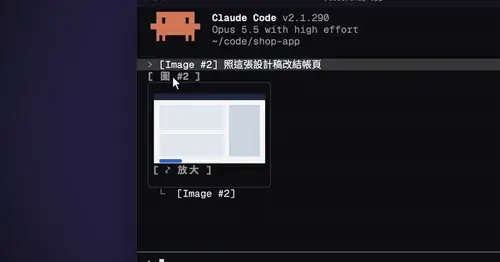
Thumbnails of pasted images above the prompt and under sent prompts, with a zoom pane.