While you wait·terminal · desktop·MIT
claudinho
Live football scores or the next kickoff above the prompt, goal toasts and a match pane.
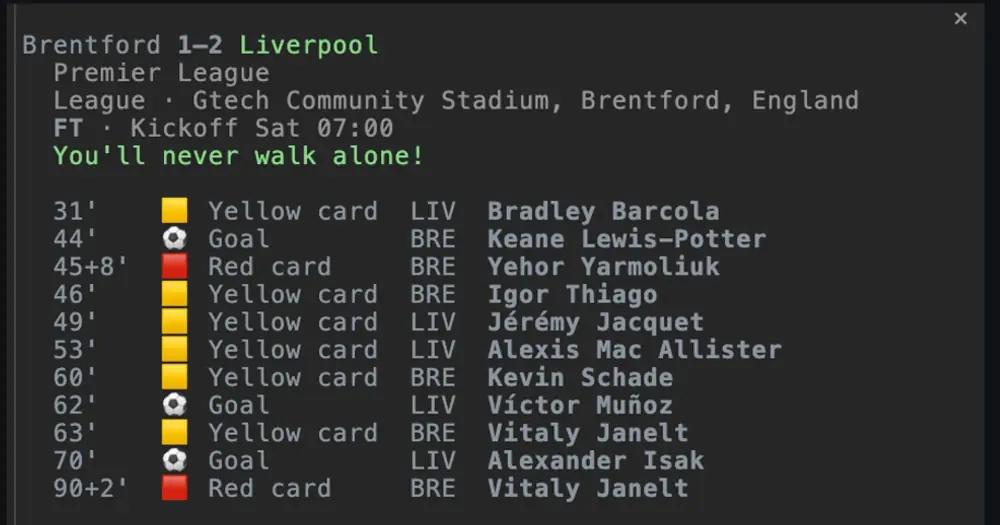
claudinho shows the football match you follow above the Claude Code prompt: the live score with the minute, or the countdown to the next kickoff. When your team scores, a toast names the scorer and Anthropic’s Claude mascot celebrates in the band, and /claudinho match opens a pane with every goal and card. It covers 16 competitions, among them the World Cup, the Premier League, LALIGA, the Champions League and Liga MX, with no API key or account.
What it does
- The band. The score in bold (
⚽ ARS 2–1 CHE 50') or the countdown (⚽ ARS vs LEE in 7h13m). Several live matches go side by side, up to eight; while your pinned team plays, its match comes first. - Toasts. What happened, then the score: a goal with its scorer and minute, a goal against, an own goal, a corrected score, a penalty shootout, full time with the result. By default only your pinned team’s match raises them, and the scorer is named only when the goals the CLI lists add up to the score.
- The celebration. On your team’s goal, the mascot, drawn in block characters in your theme’s Claude colour, steps beside
GOAL!, the team and the scorer for about three seconds, and again for five on a win or draw at full time. While Claude works it waits for the turn to end, up to a minute. - The match pane.
/claudinho matchopens the live match or the next fixture: competition, venue, status and every goal and card with its player. It docks beside the transcript in the fullscreen layout from 110 columns, sits above the prompt in a narrower terminal and opens as a side panel in the desktop app. It refreshes when the score changes and every two minutes in play. - The score for Claude. While a match is live, each prompt carries a short note with the score, so Claude can answer about it.
/claudinhoprints the band’s line on demand.
/config holds four options: toasts (pinned, all for every live match of the competition, or off), celebrate and context (on or off), and language (auto, en, es, pt or fr; auto follows CLAUDINHO_LANG, then LANG). After a change, an open pane keeps what it drew until you run /claudinho match again.
The CLI the plugin needs also works on its own (claudinho today, live, next, and table for the standings), and the same repository ships a status line for Cursor CLI and an MCP server with ten read-only football tools.
Install
Needs Claude Code 2.1.287 or later, Node.js 20 or later and the claudinho CLI 0.12.0 or later. Install the CLI, follow a competition and pin your team (the toasts and the celebration are for it), then add the plugin:
npm i -g @claudinho/cli
claudinho follow premier-league --team Arsenal
claude plugin marketplace add arturogarrido/claudinho
claude plugin install claudinho@claudinho
claudinho follow --list prints every alias (world-cup, laliga, champions-league, liga-mx and the rest). If you set up Claudinho’s own status line or prompt hook before, run claudinho init plugin first so the score does not show twice; it removes only those two entries from ~/.claude/settings.json. Inside Claude Code, /plugin install claudinho --marketplace arturogarrido/claudinho does the same as the last two commands. Installed at the user scope from a terminal, the plugin also loads in the desktop app’s Code tab.
Start a session and the band appears. claude plugin uninstall claudinho@claudinho removes it.
How it works
The plugin makes no network request itself. Through process.run it starts one program, the claudinho CLI, with its arguments as a list and no shell:
claudinho ambient --json --columns <width> --lang <code>for the band, every 15 seconds while a terminal or desktop window is attached (every five minutes when nothing is followed). It answers from the CLI’s local cache without waiting on the network, and the CLI refreshes that cache in the background when it is due.claudinho ambient --json --lang <code>each time you type/claudinho.claudinho match <id> --jsonfor the pane. Each read asks the data provider about five times: about two and a half requests a minute in play, none before kickoff or after full time.
The width, language, match id and competition slug come from Claude Code, the language option or the CLI’s own answers, never from your prompts or files. The CLI reads ESPN’s public scoreboard, plus Polymarket’s public odds for World Cup matches in the pane, and sends football parameters such as a competition and dates, nothing from your session. There is no key, account or telemetry. The CLI keeps your choice and a small cache on your machine; the plugin writes no file. To find the CLI it reads PATH, HOME and OS and lists ~/.nvm/versions/node once per load.
prompt.submit is the only hook that reaches the model. With context: on, while a match is live and the last reading is under 30 seconds old, it adds the CLI’s note beside your prompt: a header and one line per live match, at most 12. Those lines count as input tokens; off-match nothing is added. The hook never reads or changes your prompt.
claudinho is an independent fan project, not affiliated with FIFA, any confederation, league or club, or Anthropic. The author will remove the mascot if Anthropic asks.
Limitations
- Draws in the terminal and the desktop app’s Code tab. In
claude -p, the SDK, the VS Code extension’s chat panel or on a phone the band runs nothing;/claudinhostill answers. - Toasts are best effort: a goal the plugin could not confirm is announced at the next reliable reading, and full time is said only if the session reads the CLI in the minutes after the whistle.
- One competition at a time: a team pinned in the Premier League does not bring its Champions League matches.
- On Windows the plugin looks for
claudinhoonly on Claude Code’s ownPATH; elsewhere it also checks the usual nvm, Volta, pnpm, Bun, npm and Homebrew folders. A CLI it cannot find leaves the band empty. - With CLI 0.11.2 it works in part: a plain English band and toasts, a simpler celebration, an empty match pane and no full time. Older CLIs show nothing.
Similar Claude Mods

cc-buddy
The retired /buddy companion back above the prompt, leveling up from commits and tests.

claude-pets
A pixel pet in a pane that reacts to your session and levels up as you work.
subway-surfer
Subway Surfers from headless Chrome, drawn and played in a pane. Videos too.
Claude-sama
An unofficial kami mascot who reads above the prompt and reacts to what Claude is doing.
Popular Claude Mods
The whole directory →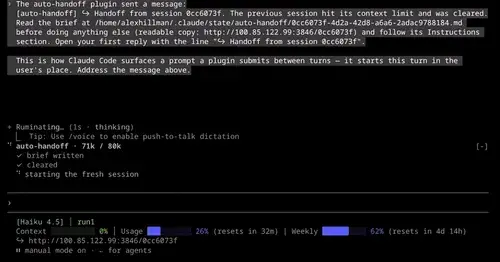
auto-handoff
Hands a long session to a fresh one with a Haiku-written brief instead of compacting.
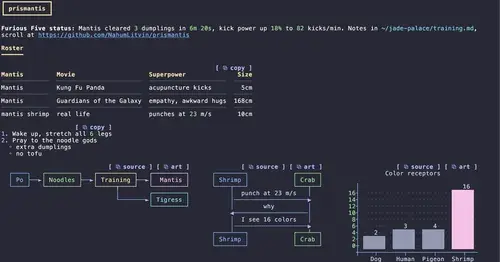
prismantis
Claude's replies in 15 themes: colored tables, highlighted code, diagrams and charts.
firstmate-calm
Hides tool rows and swaps the spinner for a sailboat. Toggle with /calm, zero tokens.
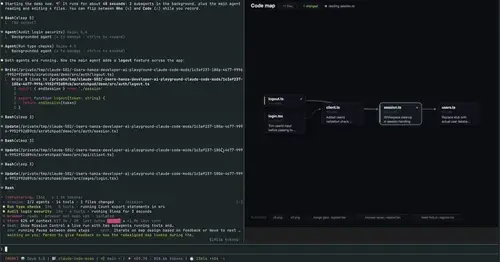
mission-control
Main agent, subagents and every tool call in a pane, plus a map of the files they touch.