While you wait·terminal · desktop·MIT (code), CC BY-NC 4.0 (art)
Coco
A smug fan-made companion who sits above the prompt and reacts to every bug Claude hits.
Coco is an unofficial fan mod that puts a small character in the band above the Claude Code prompt. Coco perches on the rim of a coffee mug, acts out whatever Claude is doing and makes sure you notice how smug they are about every bug you hit. It comes from the author of Claude-sama, and like that mod it states that it is not affiliated with or endorsed by Anthropic.
Coco’s lines in the band are prewritten and drawn on your screen, so by default the mod costs no tokens and makes no model or network calls. Everything that would spend your plan sits behind a switch that starts off.
What it does
- Moods. Coco’s eyes follow the text while Claude reads files, they blow a bubble while it thinks, type along on a little laptop while it writes code and turn the screen around to show off when it finishes. An error sends them into a cardboard box. Three failed test runs in a row pop the keycap off their bangs and they go after the bad code. After four or five quiet minutes they nap, and if Claude refuses a request they sulk under a teapot lid.
- Limits. Two charms on the right of the band: a battery for the 5-hour limit and a power bank for the week, filled to what you have left. Hovering shows when each resets and whether your pace will last until then. Context use is on the band too.
- Visitors. While Coco sleeps, a lost keycap, a paper plane, a small 404 ghost or a stray mouse pointer sometimes crosses the band.
- Desktop app. The Code tab gets the full set of hand-drawn animations, and you can poke Coco or pat their head with the mouse. A code comment Coco likes gets a spark, and a test or build that turns from red to green gets a small flower under the result. Errors and permission prompts are left as they are.
- Terminal theme. Coco and Coco (light) appear in
/theme. - 13 languages.
/coco lang autogoes back to following Claude Code’s language setting, then your system’s.
The ita bag
/coco opens the settings as Coco’s ita bag, the kind of bag fans cover in pins of a favourite character. It has seven pages:
- Coco: the profile, the desktop pet, focus, skill cards and a diary. In the desktop app you can switch the character to Claudie, whose look follows ZipZipPipe’s Claude girl design; the terminal keeps Coco.
- Quota: the 5-hour and weekly limits, what this session used and a price table.
- vibe check: the session’s record of failed tests, fixes, how often Coco bristled and whether the build ran faster or slower than usual, which you can save as a picture.
- Socks: thirteen pairs, each earned by a “first time”, for Coco to wear.
- Doujin: a weekly zine about what the two of you worked on.
- Sticky notes: at the start of a session, where you stopped last time.
- Switches: every setting, grouped, with the ones that spend tokens marked.
/coco cards turns your skills, subagents and slash commands into cards: skill and subagent cards in the tray go along with your next prompt only, and a command card types its command into the prompt box for you to run.
Switches, off by default
Switches that call a model use the newest Haiku unless you pick another, and each shows its cost in the interface.
- DMs. Chat with Coco, who sometimes speaks first and remembers where you left off across sessions. You can pay with your own API key instead of your plan; it is kept in your system’s password store (Keychain, Credential Manager or the Linux keyring).
- Band lines. A model writes a new set of lines for Coco or Claudie, which you can edit or reset.
- Voice in replies. Light adds a 338-character instruction to each request, usually served from the prompt cache, so Coco can add a line after Claude finishes. Full has Claude talk like Coco throughout.
- Explain simply, A second look, Plain words. Rewrite Claude’s last answer or a selection in plain words, have another model review the files Claude just edited, or switch to a reply style for people who don’t program.
- Ask before going past. A spending limit for the session: before Claude goes over it, Coco holds the next step and asks.
- Keep secret keys out of sight. If text you paste holds a key in a common format, Coco warns you before it is sent and can hide it.
- Keep the cache warm. While you are away, Coco re-reads the conversation from the cache now and then so your next message is billed at the cached price. The author’s live test measured 99.8% cache hits with it on and 23% with it off. It stops when the screen locks, after two hours, or when you open another conversation.
- Neighbours’ lights. Coco notices when another coding assistant on the same computer is busy and how much quota it has left, never its content.
Install
Needs Claude Code 2.1.299 or later. On Linux, the desktop pet and the own-API-key option also need glibc 2.28 or later (Debian 10, Ubuntu 20.04 or newer).
claude plugin marketplace add ninondev/cc-coco
claude plugin install coco@coco
Coco appears in every new session; sessions already open need a restart. Add --scope project or --scope local to keep Coco to one project, or turn it off in one project after a global install:
claude plugin disable coco@coco --scope localTo remove it, first run /coco icon clear if you changed the Claude icon, /coco companion uninstall if you installed the pet, and delete your own API key in the bag if you saved one. Then:
claude plugin uninstall coco@coco && claude plugin marketplace remove cocoHow it works
The hooks module follows the session, turns, tool calls and their results to pick Coco’s pose and count failed test and build runs. It hooks prompt.submit, where the DMs switch can route a message to Coco instead of Claude, and tool.call, where the spending limit can stop the next step. The author says Coco collects no telemetry and sends nothing about you off your computer, and that it never touches permission prompts or security notices.
Coco keeps its settings, earned socks and similar state in Claude Code’s plugin store, and its sticky notes and generated band lines on your computer only. When one of Coco’s own model calls finishes, the module records its usage so the cost shows up in Coco’s figures.
It also runs local commands with process.run: a small /bin/sh script on macOS and Linux that writes Coco’s current state to the desktop pet’s folder, uname -m on Linux to pick the pet’s build, and a lookup of your repository’s current branch. Before some commands it asks Claude Code’s permission check, as if the command were a Bash call, and skips the command if your rules deny it.
The desktop pet, Coco Pet, is optional: /coco companion install or a button in the bag. It stands beside Claude’s window with the same face, follows it around, and can be patted, dragged and set to one of three sizes. The author says nothing is downloaded, the Claude app is not modified and the pet never goes online. Its data folders include ~/Library/Application Support/Coco on macOS, %APPDATA%\Coco on Windows and ~/.local/state/coco on Linux, and on macOS it also creates a local signing certificate in your login keychain. A separate switch, also off, puts Coco or Claudie on the Claude icon: on macOS it writes an icon file into Claude.app, on Linux it changes only your own launcher file.
Coco animates only while visible and awake, holds still with Reduce motion on, and switches the band to plain text in Claude Code’s screen-reader mode.
Limitations
- The author tested the terminal on macOS, with CI on Windows and Linux. The desktop Code tab, the VS Code extension and Coco Pet are tested on macOS only; the pet’s Windows and Linux builds have not run on a real machine, and the own API key has not been tried there either.
- Plugins don’t load in the desktop app’s Chat and Cowork tabs or in cloud sessions. In the VS Code extension, Poke and Pat are fixed buttons and the battery and power bank can’t be clicked.
- Changing the Claude icon works on macOS and Linux, not Windows.
- Tested with Claude Code 2.1.308 (the full suite) and 2.1.299.
Similar Claude Mods
clawd-actor
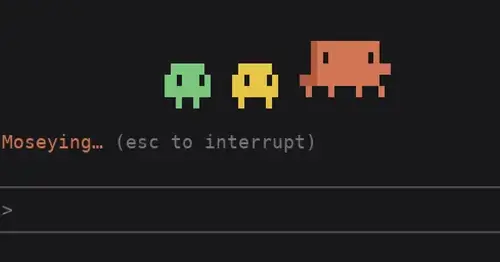
Clawd acts out the spinner's -ing word above the prompt while Claude works.

claude-pokemon
A pixel Pokémon above the prompt that follows Claude's tools, levels up and evolves.
DeutschLoop
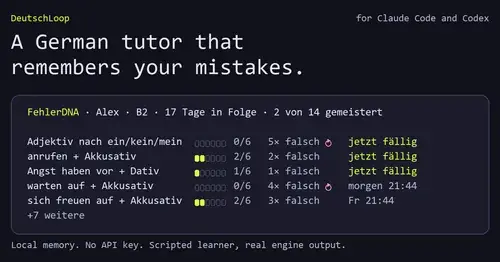
A German tutor that remembers your mistakes, with review cards while Claude works.
Claude Fables
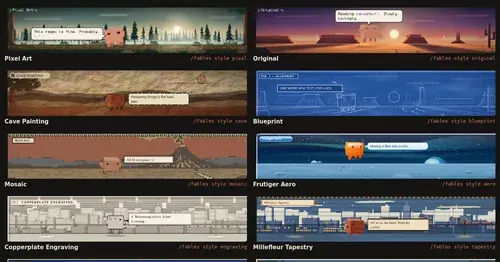
Short animated cartoons of Claude's work above the prompt, scripted by Sonnet or Haiku.
Popular Claude Mods
The whole directory →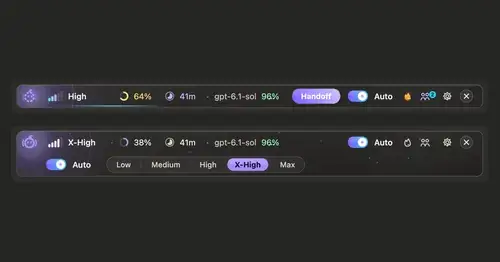
ripple
Effort per prompt, subagents routed to GPT, DeepSeek or Claude, and cache warnings.
Context Attachment Manager
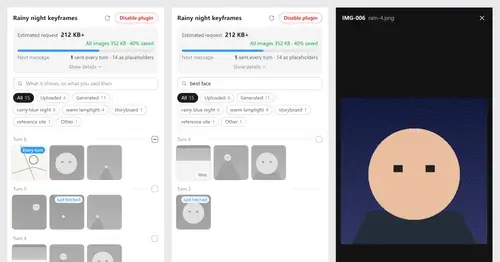
Pick which past images go out with your next message; the rest become placeholders.
TextFold
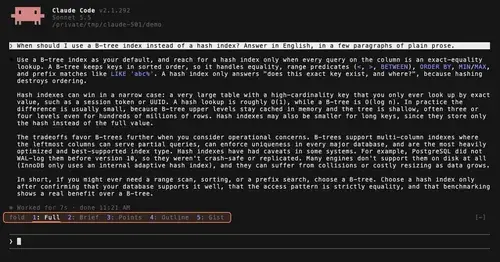
Every reply at five levels, from every word to the answer in one sentence. One key each.
lcm
Every message kept in SQLite, old context compacted into summaries Claude can expand.