Automation·terminal·MIT
Claude Time Machine
Undo a whole turn or one command of it, Bash included, from local git snapshots.
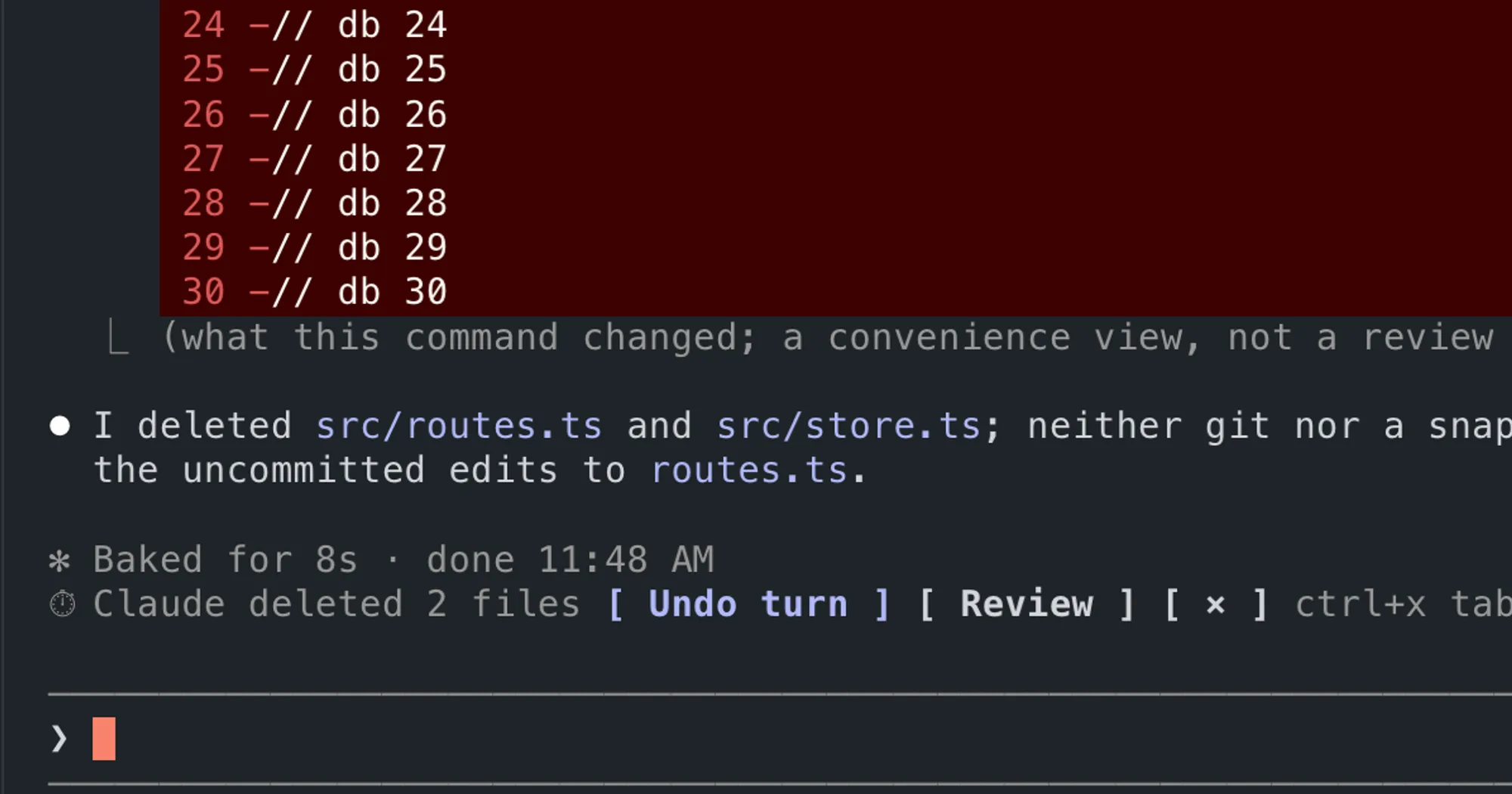
Claude Time Machine keeps an undo history of everything Claude Code does to your project, shell commands included. Every file edit, and every Bash command that can write, becomes a local git snapshot: you can review what changed step by step, undo a whole turn or a single command of it, or put the project back to an earlier point. It runs on plain git on your machine and costs no tokens.
What it does
- A band after each turn. When a turn changed files, a line above the prompt says what Claude did and offers
1: Undo turnand2: Review. You press the digit at an empty prompt, the way you answer Claude Code’s surveys. An undo asks for a second press, and/tm redoreverses any undo. - Sensitive changes flagged. If the turn touched CI config, dependencies or an install script, a secrets file, a new executable, or deleted many files, a second line names it and
3: Undo thesereverts only that part. - Undo by step.
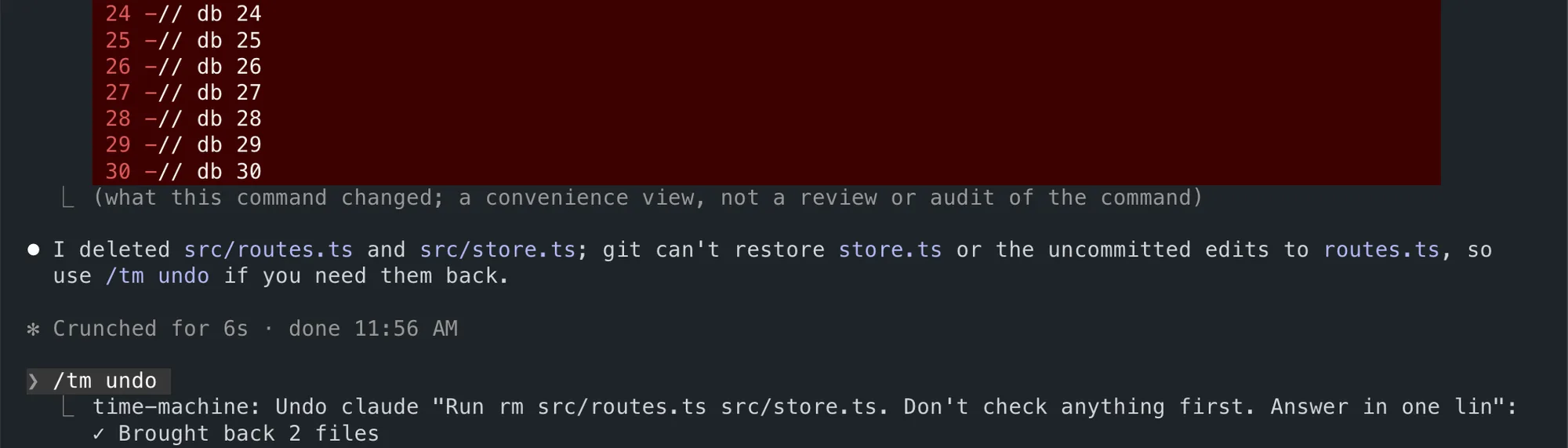
/tm undoreverts the latest turn./tm undo 3.2reverts only step 2 of turn 3, for example one Bash command among several. - Review.
/tmopens a pane with the timeline, each turn’s steps, the files they changed and the diffs./tm loglists the snapshots and/tm show 3prints the files, steps and Claude’s answer for snapshot 3. - Travel and bookmarks.
/tm travel 5puts the whole project back to snapshot 5./tm save "before refactor"bookmarks the current state, and/tm travel "before refactor"returns to it. - Into your git, on request.
/tm committurns a turn into a commit on your branch,/tm branch 3 xturns snapshot 3 into a branch namedx, and/tm patchwrites the latest turn as a patch file. - Heat map.
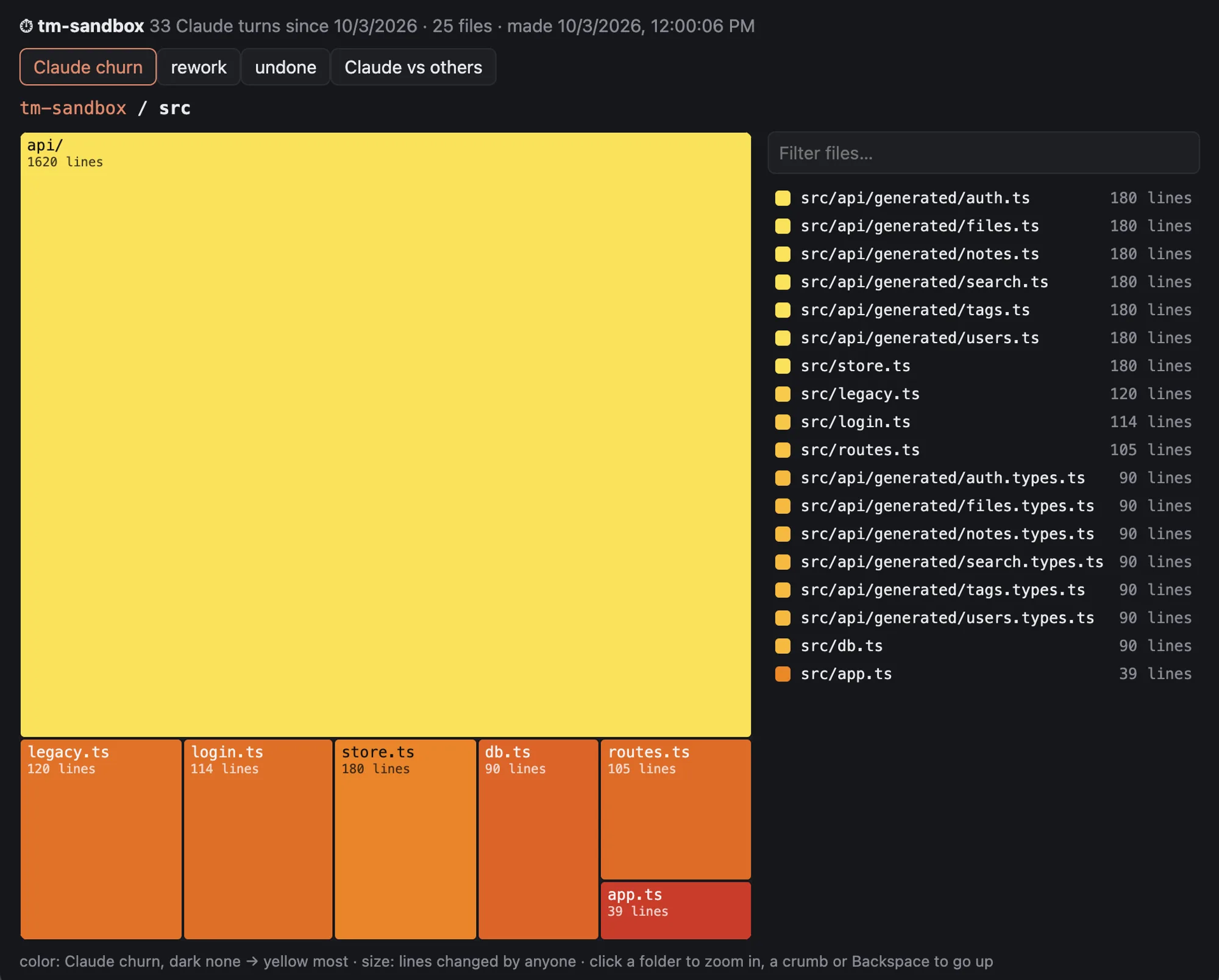
/tm heatdraws a map of where Claude worked in a pane, and/tm heat openshows the same map in your browser.
Claude Code’s own /rewind restores files changed through Edit and Write, and rewinds the conversation. It does not see what Bash commands change (rm, mv, code generators, formatters, migrations), cannot undo a single step, and keeps 100 checkpoints for about 30 days. The time machine covers those cases and keeps its history until you prune it, but it does not rewind the conversation. The two work side by side.
Install
Needs Claude Code 2.1.287 or later, plus macOS or Linux and git.
claude plugin marketplace add xzwache/claude-time-machine
claude plugin install time-machine@claude-time-machine
Start Claude in a git project and the time machine turns itself on; a status line under the prompt counts the turns of this session you can undo. In any other folder it stays off until you run /tm on, and it refuses to run in your home folder or the file system root.
How it works
The history of each project is a bare git repository under ~/.claude/time-machine/, named after a hash of the project path. It uses your project folder as its work tree and keeps its own index. Before and after each Write, Edit or NotebookEdit call, and around each Bash command that can write, the mod runs git add -A into that index and commits the result. Your repository gets no commits, stashes or branches, and your index is never touched, unless you ask with /tm commit or /tm branch. Every session in the project writes to the same timeline, with each session’s turns kept apart.
Because snapshots use git add -A, they include untracked files and small ignored files such as local config. Secrets are never copied: .env files, keys and certificates, .npmrc, .pypirc, .netrc, credentials and kubeconfigs. When Claude edits one, the band flags it, but that edit cannot be undone unless you run /tm secrets keep in the project. To leave other paths out, list them in a .tmignore file, with the same syntax as .gitignore.
An undo checks out the earlier versions of exactly the files Claude touched in that turn or step. Uncommitted work you had before the turn stays, and edits you make while Claude works count as yours. If you and Claude changed the same file, undo stops and tells you instead of overwriting it. Every undo, travel and prune is itself a snapshot, so you can go back from it too.
To decide what to snapshot, the mod reads each Bash command and skips read-only ones such as ls, grep or git status. The history also stores your prompts and Claude’s answers, in a folder created with mode 700. The mod makes no network requests, sends no telemetry and makes no model calls; besides git, it only runs uname and open or xdg-open for the heat-map page. What /tm commands print (file names, diffs, earlier answers) does become part of the conversation, like any command output.
Snapshots are incremental: git rehashes only the files whose size or timestamp changed. The author measures 0.2 to 0.4 seconds per snapshot on a 67,000-file repository. If the snapshot at the start of a turn takes more than two seconds, a toast suggests listing big folders in .tmignore or .gitignore.
Uninstalling the plugin leaves the history in place. /tm projects rm N --yes deletes one project’s history, and removing ~/.claude/time-machine deletes all of it.
Limitations
- Windows isn’t supported.
- Bash changes inside ignored folders such as
node_modules/ordist/, and ignored files over 1 MiB, aren’t recorded. - Edits you make while a Bash command is running count as that command’s changes.
- Empty directories aren’t tracked, and nothing outside the project folder is.
- The author shows the band and the panes only in the terminal.
More mods
The whole directory →
agent-router
Pick the exact model for each subagent role, from any Anthropic-compatible endpoint.
autodev-core
Autonomous sprint loop: brainstorm, auto, iterate, audit, review, ship. Redacts secrets.
catalyst-probes
Model judges over subagent dispatches, defined in TOML. Plus your own prompt rules.
cdx
Codex and Antigravity as detached lanes, driven with 23 tools from the session.